
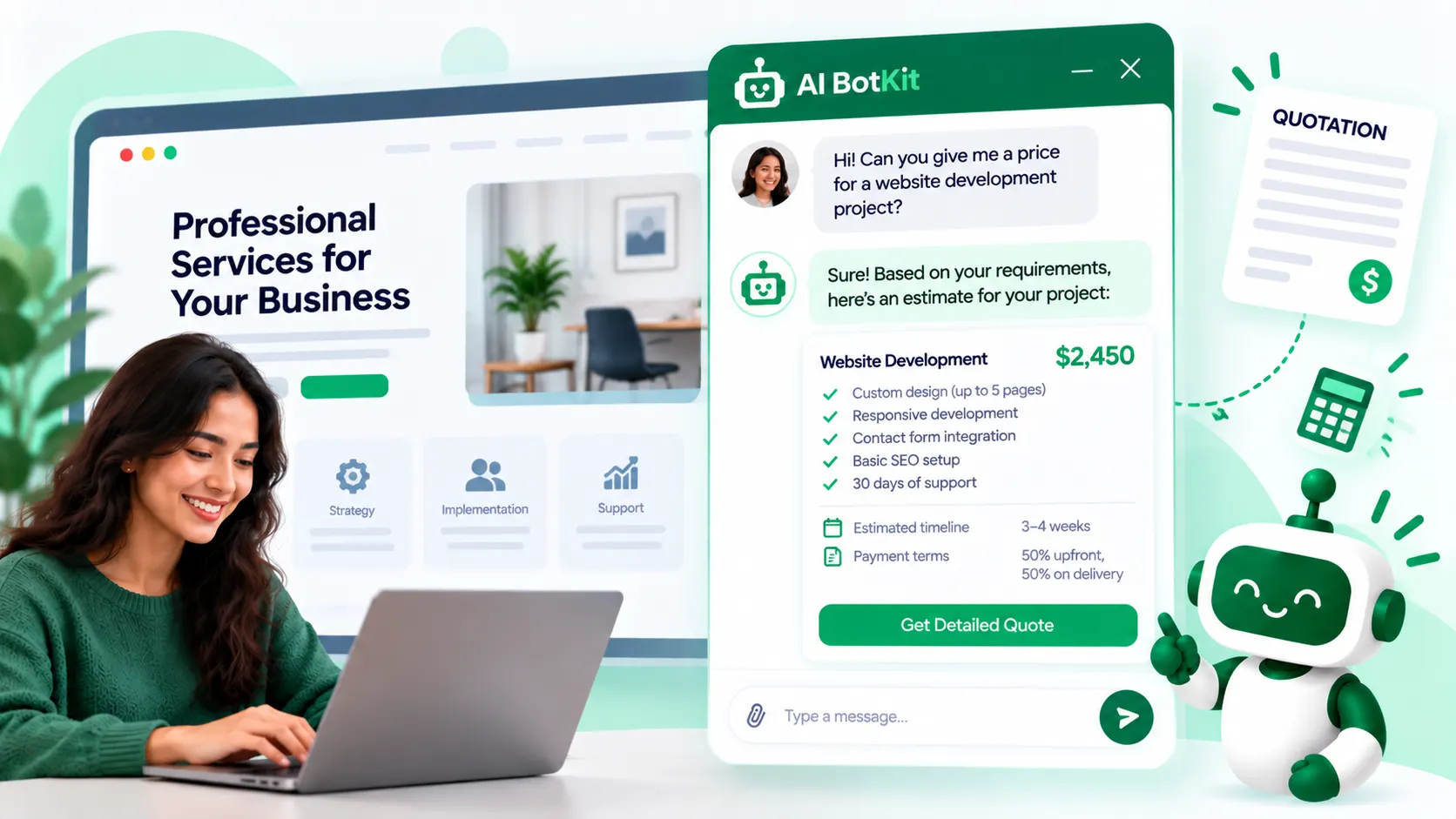
An AI quotation generator, also called an AI quote generator, turns a job description or a customer’s answers into a priced quote. Some tools write the document for a price you already set. Others give visitors instant quotes on your website, and that second kind needs guardrails so a wrong number never goes out as a promise.
A customer asks for a price on Sunday night. You send the quote on Tuesday, and by then they may have booked someone else.
The right tool can close that gap, but only if you pick the right type and keep a person in charge of the final number. At AI BotKit, we build one of these tools, so we’ll be plain about where each type fits and where it doesn’t.
What is an AI quotation generator, and which type do you need?
An AI quotation generator is software that builds a priced quote from a description of the job. The label covers three quite different tools, and mixing them up is the easiest way to buy the wrong one. The deciding question is simple: who sets the price, and who sees it first?
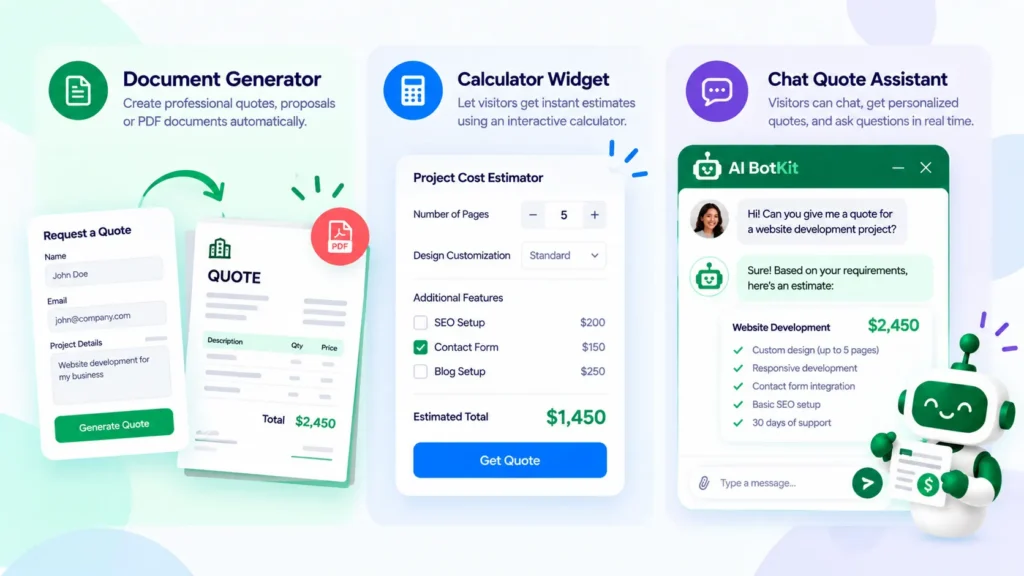
Document generators
Document generators format a quote for a price you already worked out. You describe the job in plain language, and the tool returns line items, payment terms and a validity date. TutorGPT’s quotation generator works this way, and the Manus quotation playbook is similar.
They save formatting time, but your customer never uses them directly.
Calculator widgets
Calculator widgets turn a visitor’s choices into a price using rules you set. QuoteKit supports fixed prices, hourly rates and distance-based pricing, and it captures the visitor’s name, email and phone number. Quotineer offers a similar quote form for WordPress.
Most of these are rule-based rather than AI, and they suit jobs with predictable pricing.
Conversational quote assistants
Conversational quote assistants collect the details in a chat, then respond with an estimate. The visitor answers questions about quantity, requirements and timing, and you receive the details. Jotform’s price quote chatbot template is one example. Our own quote assistant for WooCommerce, covered below, is another.
Here is how the three compare:
| Type | Who sets the price | What your visitor sees | Best for | Main risk |
|---|---|---|---|---|
| Document generator | You | Nothing until you send the PDF | Freelancers and shops that quote by email | Still slow, since you write every quote |
| Calculator widget | Your rules | A price after picking options | Predictable services such as cleaning or courier runs | Breaks on custom jobs |
| Conversational assistant | Your price list plus the chat | A chat that asks questions and gives an estimate | Custom or bulk orders that need follow-up questions | A wrong price if the source material is wrong |
Why does quote speed decide jobs for a small business?
What the research says
A Harvard Business Review study of online leads found that firms that contacted a lead within an hour were nearly seven times as likely to qualify it as firms that waited just one more hour (Oldroyd, McElheran and Elkington, 2011). It measured contact speed, not quote speed, but a quote request is a lead like any other.
Customer expectations point the same way. Salesforce’s research found that 77% of customers expect to interact with someone immediately when they contact a company (Salesforce). If nobody is free to answer at 9pm, that expectation goes unmet by default.
What owners say
Small operators feel this every week. In an electricians’ forum thread, a two-man shop asked whether it had been too slow after a customer gave the job to someone else within ten days. One reply: “I lost way too many jobs before I hired someone to estimate for me.”
Speed is not always the answer. If you get five quote requests a week and reply the same day, a spreadsheet template may be all you need.
The goal isn’t to quote faster than you can price. It’s to reply faster, with something useful.
When can an instant quote be a firm price, and when should it be a range?
It depends on how predictable the job is. A firm instant price only works when you could quote the job from a rate card.
Predictable jobs
Cleaning, courier runs and set-package services can often take a firm price, because few inputs decide it. A founder who built a quote calculator asked on UK Business Forums whether service businesses prefer a phone call, and said his tool is for predictable pricing. If that’s you, a calculator widget may be enough.
Custom-scope jobs
Trades, agencies and bespoke work are different, because the real price depends on a site visit, a brief or the plans. Give a range first. One commenter in a TechRepublic thread on instant quotes wrote: “I give a rough ballpark range upfront (with disclaimers), based on similar past jobs.”
The detailed estimate follows once you’ve seen photos, plans or the site. A chat can handle the first step at any hour, and you handle the second.
Custom or bulk product orders
If you sell products in bulk or with customisation, a chat can ask what a form skips: quantity, branding, budget and timeline. That’s the case our WooCommerce quote assistant is built for, and we cover it below.
What goes wrong when a chatbot names a price?
Pricing is the riskiest thing a chatbot can say, because customers treat the bot as your business.
Customers hold you to what the bot says
In a widely reported case, a tribunal ruled that Air Canada was responsible for what its website chatbot told a customer (Telecoms.com report).
Small businesses are exposed too. A UK owner posted on r/LegalAdviceUK that a customer talked their AI chat assistant from a 25% discount up to 80%, then ordered £8,000 or more. It’s one anonymous account, so treat the details with care. The lesson holds: a bot with any say over price needs limits.
The bot is only as good as your price list
A quote assistant answers from the material you give it. Thin, outdated or contradictory pricing pages produce thin, outdated or contradictory quotes. If your prices changed in spring and your pricing sheet didn’t, the bot will quote spring prices. Fix the source document, not the prompt.
Where the conversation goes
A quote chat collects names, emails, phone numbers and project details. Before you switch it on, read your vendor’s privacy policy, ours included, for where chats are stored, how long they’re kept and who can delete them. We can’t give legal advice, and no tool can promise compliance for you.
Some questions should also go to a person: unusual scopes, large orders and any customer who disputes a number. In AI BotKit, human handover, where the bot steps aside and notifies your team by email, is on our higher-tier plans, so check which plan includes it.
If a bot names a price, a person should own the final number.
How does a chat quote assistant work on a WooCommerce product page?
At AI BotKit, we built our AI quote assistant for WooCommerce because long enquiry forms lose buyers before they hit submit. It connects to Product Inquiry Pro, the quote-request plugin from WISDM. We’ve spent over a decade building WordPress products at WisdmLabs.
What your buyer sees
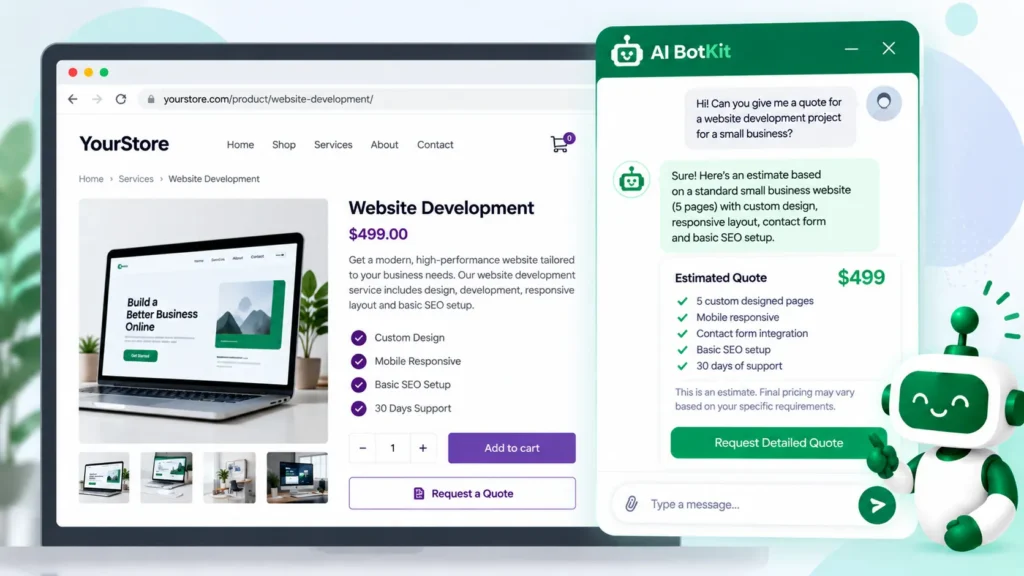
The buyer clicks Get Quote on a product page, and a chat opens right there. It asks about quantity, specifications, customisation, budget and timeline in a conversation instead of a long form. The buyer then gets an instant quote estimate based on those answers.
You receive a lead summary with the requirements and contact details already captured, ready for you to follow up. Label the in-chat number as an estimate, and confirm the final price yourself.
How to set it up
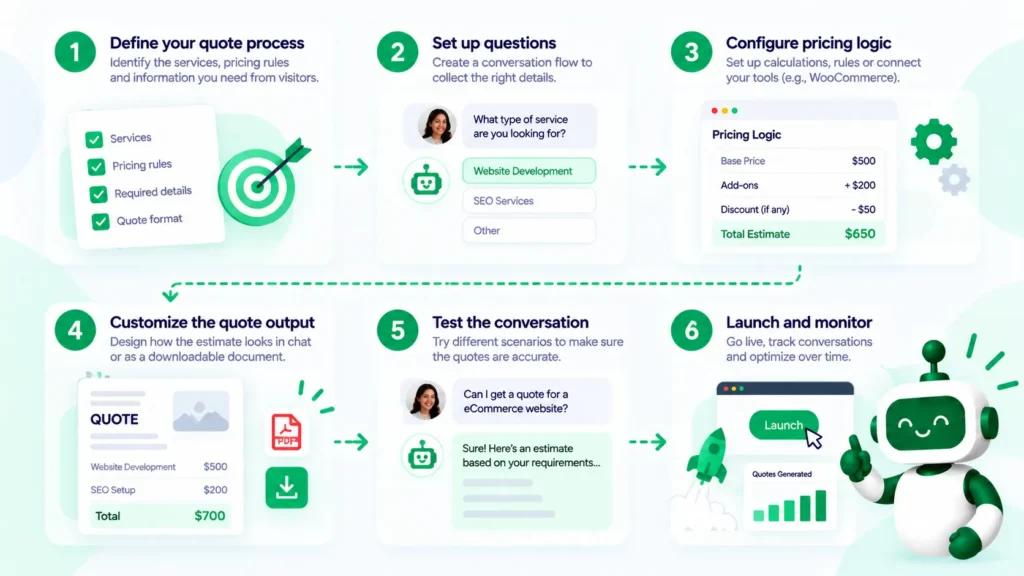
- Install the plugin. Add the free AI BotKit WordPress plugin and connect your account.
- Train it on your product data. Sync your website and WooCommerce product pages, then add your catalog, pricing sheets or product URLs. Our guide to training a chatbot on your website content covers what to include and what to leave out.
- Connect Product Inquiry Pro. Link it to your existing Product Inquiry Pro setup and add the chat to your product pages.
- Test it against your price sheet. Ask the ten quote questions customers ask most, and check every price in the answers.
- Set the fallback and the handoff. Write what the bot says when it doesn’t know, and choose how your team is notified.
If you’re not on WooCommerce
Our quote assistant is built for WooCommerce product pages. If you quote services or run on another platform, the same chat approach applies, but check what any tool supports before you rely on it.
Our general chatbot also works without a plugin, through an embed snippet, as this WordPress guide shows. It can capture leads inside the chat, but it answers questions and collects contact details. It doesn’t generate quotes.
If you’re still choosing a chatbot at all, our comparison of WordPress chatbot plugins sets out the options.
Before your bot names a price: a six-point checklist
Run through these before you switch on any quote bot, ours or anyone else’s.
- Write your price list down. Keep one current sheet, with ranges for custom work.
- Decide firm price or range for each job type. Predictable jobs get a number, custom jobs get a range.
- Add a disclaimer to every estimate. Say it’s an estimate and that you confirm the final price.
- Write the fallback and pick the handoff. Decide what the bot says when unsure, and who gets the conversation.
- Keep discounts out of the training material, then try to haggle. Ask the bot for a discount and see what it does. No chatbot can promise it will never be talked into one, so test it.
- Read the conversation log weekly. Every wrong or missed question shows you what to fix in the source.
A bot that quotes a range and hands off cleanly beats one that guesses a number.
FAQ
How do you handle customers who want an instant quote?
Give a rough range up front with a disclaimer, based on similar past jobs, then confirm the price once you’ve seen the job details. That keeps the customer moving without locking you into a number you can’t stand behind. A chat assistant can do the first step at any hour.
Is an AI quotation generator accurate enough to send without checking?
Not without checking. A document generator formats the numbers you give it and doesn’t set your price. A chat assistant is only as accurate as the price list it was trained on, so test its answers against your sheet and have a person confirm the final quote.
Who is responsible if the bot gives the wrong price?
Often the business. In the Air Canada case, a tribunal held the airline responsible for what its website chatbot told a customer. Rules differ by country and by situation, and we’re not lawyers, so ask a legal professional about your own case.
Do I need WooCommerce to use an AI quote assistant?
For ours, yes: our quote assistant is built for WooCommerce product pages with Product Inquiry Pro. Other tools, such as calculator widgets, support other platforms, so check each tool’s list. Our general chatbot runs elsewhere through an embed snippet, but it answers questions and captures leads rather than generating quotes.
Is there a free AI quotation generator?
Yes, in two senses. Some document generators, such as TutorGPT’s, say you can create and send quotes without signing up. Our AI BotKit plugin is free to download, and we offer a free plan, but which plan your quote setup needs depends on your use, so check our pricing page for current limits.
If customers keep asking for prices you only give by email, the quickest test is one product page. Try the free AI BotKit plugin and the quote assistant with your own price sheet, and see how many quote requests arrive already complete.