
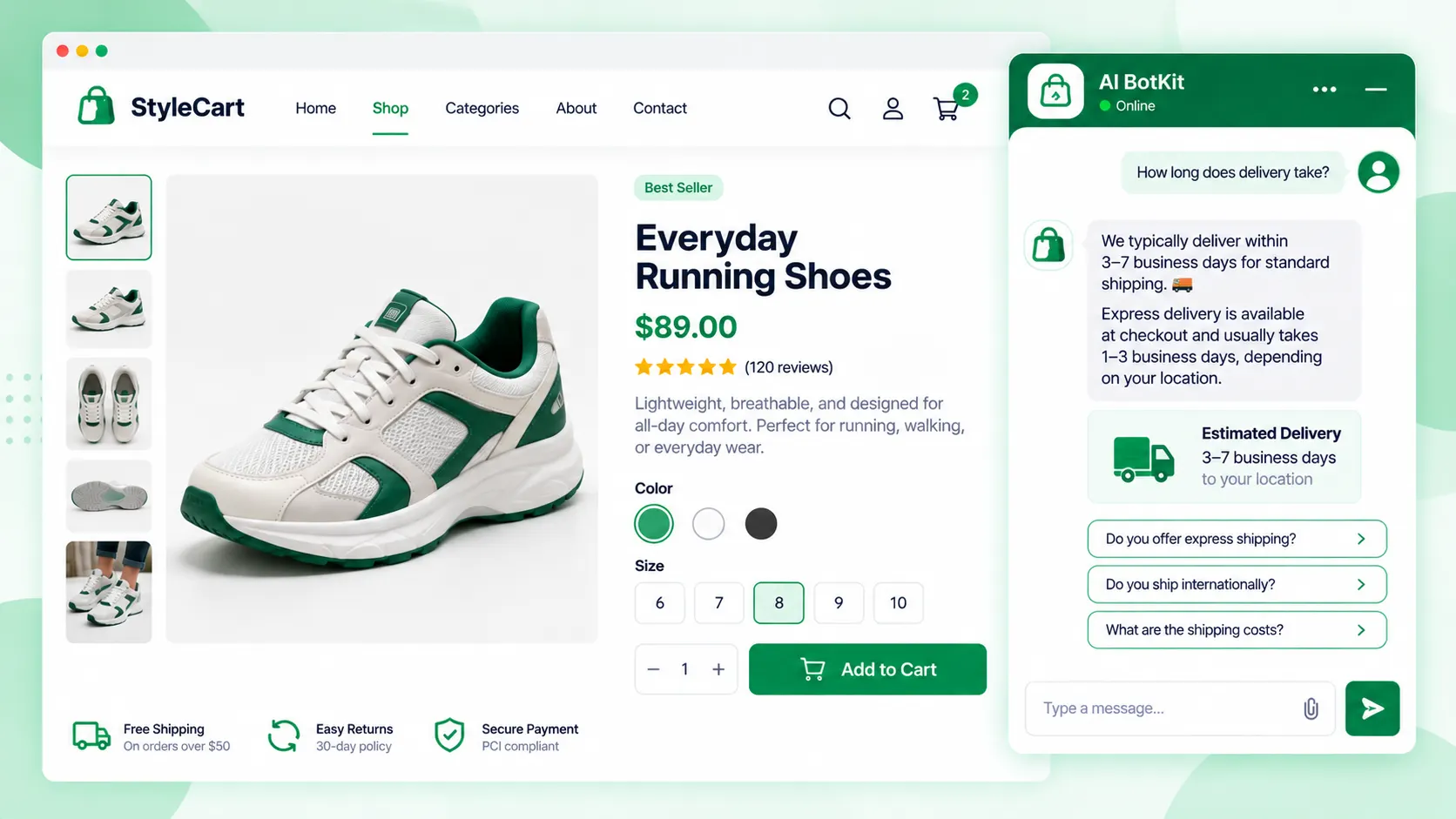
A cart abandonment chatbot helps you reduce cart abandonment by answering shipping, delivery, returns and cost questions from your own pages before shoppers leave. It can’t fix a forced account, a long checkout or a declined card, and it can’t win back shoppers who were only browsing. It works on the reasons that are unanswered questions.
About 7 in 10 online carts never become orders. Baymard Institute puts the average at 70.22% across 50 studies, and 42% of US online shoppers have abandoned a cart because they were just browsing.
The carts worth your time are the rest, where someone wanted to buy and hit a question. Does it arrive by Friday? What if I need to return it?
AI chat for cart abandonment is a chat widget on your store that answers a shopper’s pre-purchase questions from your own shipping, returns and product pages, so a doubt gets settled before they leave. We built AI BotKit to do that without code, and this guide covers what a cart abandonment chatbot can fix and what it can’t.
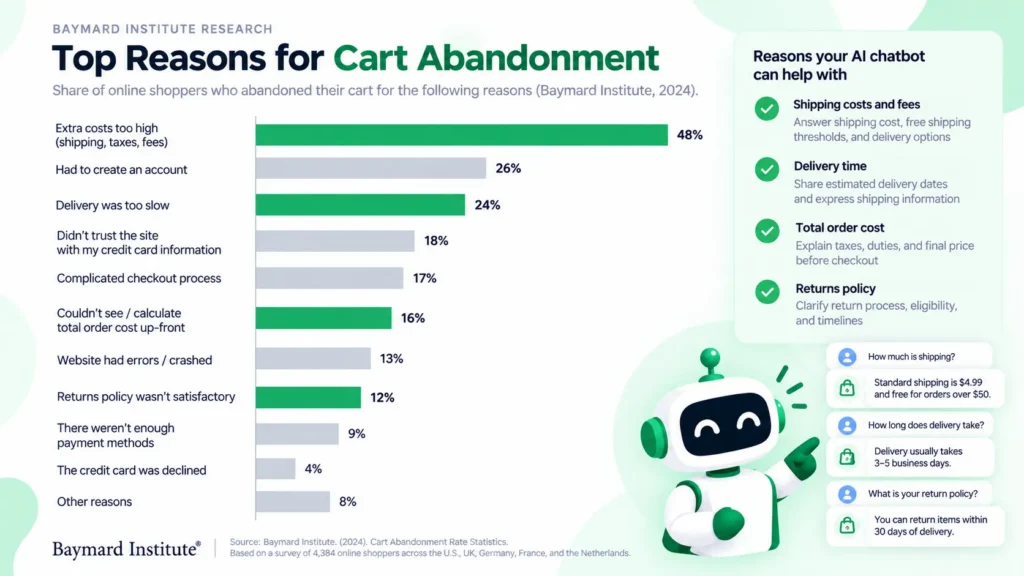
Why do shoppers leave a cart, and which reasons can chat answer?
Baymard Institute’s reasons data shows how much of the problem chat can touch. Once you set aside the shoppers who were just browsing, the rest split into questions and broken checkout steps. Chat can only help with the first group.
The share you can’t recover: shoppers who were just browsing
Some carts were never going to convert. Shoppers use them to save items, compare prices and explore gift options, and Baymard describes this group as largely unavoidable. In its latest study, 42% of US online shoppers said they had abandoned a cart because they were just browsing.
If a vendor credits chat with winning back that group, treat the claim with caution.
The reasons that are really unanswered questions
Several of the remaining reasons are questions a shopper could settle in one message. Slow delivery is cited by 20%, a returns policy they didn’t like by 13%, and not seeing the total cost up front by 12%. Extra costs lead at 40%.
A chat can’t lower your shipping or rewrite your returns policy. It can make the answer easy to find, which matters when the alternative is hunting through a footer. A shopper who asks “what will shipping cost to my postcode?” is that problem in miniature.
The reasons chat can’t fix
Forced account creation (18%), a long or complicated checkout (17%), site errors (17%) and a declined card (10%) are checkout problems. A bot that answers questions won’t shorten your form or fix a crash, so fix these in checkout first.
Here is how the reasons line up:
| Reason shoppers give | Share citing it | Can chat help? | What actually fixes it |
|---|---|---|---|
| Extra costs too high (shipping, tax, fees) | 40% | Partly: it can explain shipping and tax rules, not lower them | Show costs early, set a free-shipping threshold |
| Delivery was too slow | 20% | Partly: it can state delivery times from your pages | Faster or clearer shipping options |
| Didn’t trust the site with card details | 19% | Partly: it can answer payment and security questions | Visible trust signals, familiar payment options |
| Site wanted me to create an account | 18% | No | Guest checkout |
| Checkout too long or complicated | 17% | No | Fewer form fields |
| Website had errors or crashed | 17% | No | Fix the errors, test checkout |
| Returns policy wasn’t satisfactory | 13% | Partly: it can state the policy clearly, not change it | A policy shoppers accept |
| Couldn’t see total order cost up front | 12% | Yes, if the costs are written on your pages | Show totals early in the cart |
| Credit card was declined | 10% | No | Your payment provider’s settings and retry options |
| Not enough payment methods | 9% | Partly: it can say which methods you accept | Add the methods your shoppers expect |
Source: Baymard Institute, cart abandonment statistics, shares excluding the “just browsing” group. The “Can chat help?” and “What actually fixes it” columns are our own assessment.
Chat helps with the reasons that are questions, and does nothing for the ones that are broken checkout steps.
How do you set up AI chat to answer the questions that stop a sale?
Here is the setup we’d follow, and it works for any content-trained bot. If you’re adding your first chatbot, start at step 1. If you already run one and the answers are off, jump to step 2.
Step 1: Find what actually stops your shoppers
Open your inbox, your pre-sale messages and your product reviews, and list the questions that come up before an order. You’ll often find the same few repeating: delivery time, returns, sizing, payment options. Your own list beats any generic one, so write it down first.
No store traffic yet? Start with the Baymard reasons in the table above and write the answer to each one that applies to you.
Step 2: Put the answers on your pages first
A chatbot trained on your pages can only repeat what they say. If your delivery times live in an email template and not on a page, the bot has nothing to give.
Write short, plain answers on your shipping, returns and payment pages, including costs and cut-off dates. The bot is only as good as the pages behind it.
Step 3: Train the bot on those pages and test it
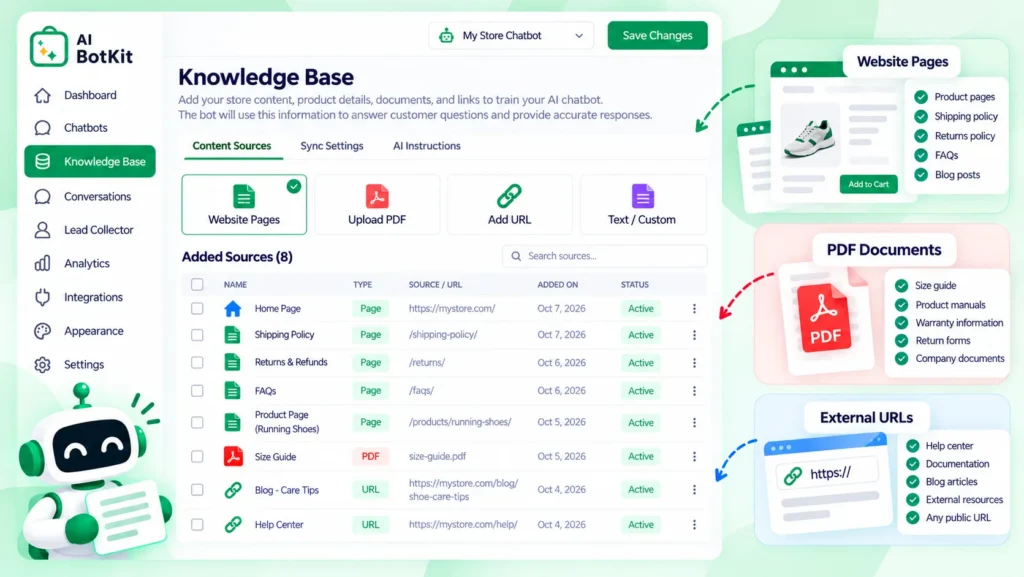
In AI BotKit, we let you train on WordPress pages and posts, uploaded PDFs and external URLs, so product pages can go in as links. No FAQ page yet? A short PDF works too. Our guide to training a chatbot on website content covers what to include.
Install steps are in our WooCommerce chatbot setup guide, and the WordPress chatbot plugin page covers the plugin itself. Not on WordPress? We also give you an embed snippet that works on platforms like Shopify, Squarespace and Wix.
Then test it. Take 10 to 15 real questions from your inbox, ask them in preview, and mark each answer right, wrong or “not on any page”. Fix wrong answers by fixing the page behind them.
Step 4: Set a fallback and a handover to a person
Decide which questions belong to you. Payment problems, damaged items and refund disputes should go to a person, because a bot that guesses at them costs more than a slow reply.
We built handover into AI BotKit, so the bot can pass a chat to your team. Write a fallback message that points shoppers to you when it can’t answer, for example: “I’m not sure about that. Email us and we’ll reply as soon as we can.”
Before you publish, tell shoppers they’re chatting with a bot and keep documents with customer details out of the training sources. Check the provider’s privacy policy for where conversations are stored. This isn’t legal advice.
Step 5: Put it where shoppers hesitate
Start with the pages where shoppers often pause: product, shipping and returns pages. Whether your setup can also show the widget on cart and checkout pages depends on your platform, so check before you plan around it.
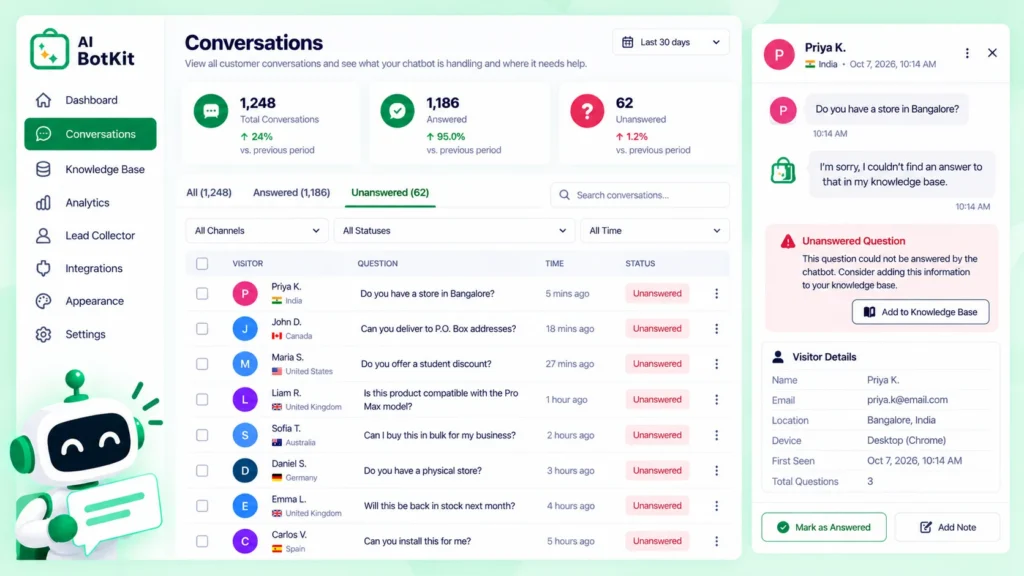
Then read the first conversations for two weeks. The questions the bot couldn’t answer tell you which pages to write or fix next.
Where does chat fall short, and what should you fix first?
Chat is one tool in a larger fix. These are the limits worth knowing before you add it.
Fix checkout friction before you add chat
If checkout is the problem, chat is the wrong tool. Baymard found that 17% of US online shoppers have abandoned an order over a long or complicated checkout. In its benchmark, the average US checkout shows 23.48 form elements by default, while an ideal flow can be as short as 12 to 14.
Fewer steps is also the first tactic in Stripe’s guide to reducing cart abandonment. Fix the checkout first, then add chat for the questions that remain.
What a content-trained bot can’t do
A bot trained on your pages answers policy and product questions. It doesn’t look up one shopper’s order or build their cart. When a store owner asked the WooCommerce support forum for an AI that builds carts over WhatsApp, the reply said there is “no single official WooCommerce extension that does all of that”.
The options it listed were third-party services or a custom build that connects an AI service to WooCommerce’s REST API. That is a different job from answering questions, and it needs live access to your store’s data. If you need it, check each provider’s current options first.
Plan for bot traffic in your abandonment numbers
Your abandonment rate may look worse than it is. One store owner on the WordPress.org forums found that their abandoned-cart plugin was tracking bots, which made the numbers unreliable, and a reply noted that WooCommerce core has no setting to stop that.
Another WordPress.org thread describes five to seven fake abandoned carts a day under the same name, triggering recovery emails. Plugin support suggested reCAPTCHA on checkout pages. Before you judge chat by your abandonment rate, look for repeat names and odd patterns in your carts.
Which questions should go to a person
Some questions should go to you, because a wrong answer costs more than a slow reply: refunds, damaged items, payment problems. Make sure those reach a person.
Wrong answers also happen on other questions. Even a positive G2 review of Tidio notes its chatbot can sometimes give wrong answers, and Tidio’s FAQ says its AI can err when the content it was trained on is wrong, unclear or outdated. The same applies to any content-trained bot, ours included.
So when an answer is wrong, find the page it should have come from, fix it, retrain and ask again. A wrong answer is usually a page to fix, not a reason to drop the bot.
Is AI chat worth adding to your store?
Whether chat is worth adding depends on who you are and how many questions reach you before a purchase. Scope it to your situation: a chatbot pays off when the same questions keep arriving.
If you answer the same pre-sale questions every week
A bot earns its place when the same shipping, returns and sizing questions keep arriving and the answers already sit on your pages. Train it once and the answer is there at any hour. Our chatbot vs contact form breakdown covers what the conversion data does and doesn’t say.
If you have a small catalog and few questions
If a handful of questions reach you each month, a clear shipping and returns page, with costs and delivery dates visible, may do the job. A chatbot is one more thing to test and keep current. Start with the page, and add the bot when the questions pile up.
If you already run live chat or recovery emails
Chat and recovery emails do different jobs. Chat answers a doubt while the shopper is still on the page, and an email reaches them after they leave. Neither replaces the checkout fixes above.
If you already have live chat, a trained bot can take the repeat questions while a person handles the rest. Comparing tools? Our guide to the best chatbot for WordPress lists options.
If you build stores for clients
Run the same test on one client store first. Pull that client’s real pre-sale questions, fix the pages, and train a bot on them. Results depend on each store’s content, so set that expectation before you promise anything.
How do you tell whether it’s reducing cart abandonment?
Measure before you change anything. Cart abandonment rate is one minus completed purchases divided by carts created, times 100, so 1,000 carts and 300 orders is a 70% rate. Write your number down, and filter out bot carts first.
Then track three things for a few weeks: your rate, the questions the bot couldn’t answer, and the pages you fixed because of them. The unanswered questions are a to-do list for your pages.
Be cautious with outside numbers. Vendor pages such as Haptik’s cite 20 to 30% reductions, but those are vendor-reported. A 2025 ACIS conference paper based on interviews points to personalization and well-timed intervention, but reports no recovery rate. Judge chat on your own store’s numbers.
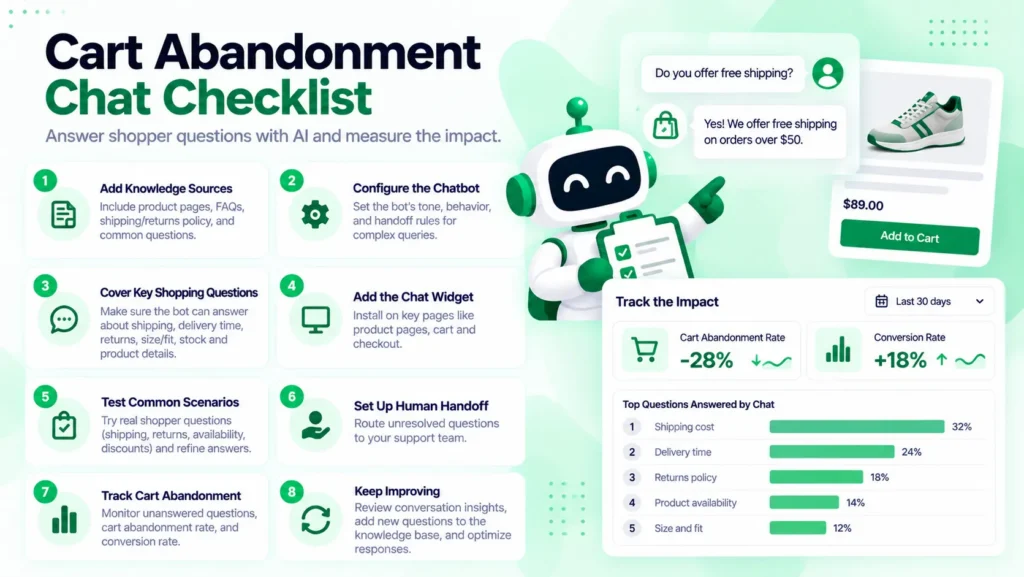
Your cart-abandonment chat checklist
Run through this before you publish, and again after your first month:
- List the questions shoppers ask before they buy
- Put clear answers on your shipping, returns and payment pages
- Cut checkout fields and fix errors before adding chat
- Train the bot on those pages and test 10 to 15 real questions
- Set a fallback message and decide which questions go to a person
- Tell shoppers they’re chatting with a bot, and keep customer details out of the training sources
- Note your abandonment rate before launch, then recheck it after a few weeks with bot carts filtered out
- Re-test the bot whenever shipping, returns or prices change
FAQ
Can a chatbot recover abandoned carts?
A bot that answers from your pages works while the shopper is still on your store, not after they leave. It can settle the shipping, returns and cost questions behind some abandonment, but it isn’t a recovery tool on its own. Win-backs after the shopper leaves usually come from email or messaging.
Can a chatbot look up orders or build carts in WooCommerce?
Not from your pages alone. Order lookups and cart building need a live connection to your store’s data, which usually means a third-party service or a custom build. One WooCommerce support reply said no single official extension does AI chat and cart building on WhatsApp. Our WooCommerce chatbot setup guide covers what a content-trained bot can answer.
Why does my cart abandonment rate look so high?
Part of it is normal: Baymard’s average across 50 studies is 70.22%, and many shoppers are just browsing. Part may be bots, since store owners on the WordPress.org forums report cart plugins recording bot visits as abandoned carts. Check your carts for repeat names before you act on the number.
Will the chatbot give wrong answers?
It can, mostly when the pages it learned from are thin or out of date. Tidio’s own FAQ says the same about its AI. Fix the page behind a wrong answer, retrain, test again, and send risky topics to a person.
Can I try it free?
Yes. We offer a free plan with access to features and a monthly message limit, so you can test the bot on your own shipping and returns pages before paying. Check the pricing page for current limits.
If shoppers email you the same shipping and returns questions before they buy, start there. After a decade of building WordPress products at WisdmLabs, we built AI BotKit so a store like yours can start free and train it on your own pages, then see which questions the bot can’t answer and fix those pages first.