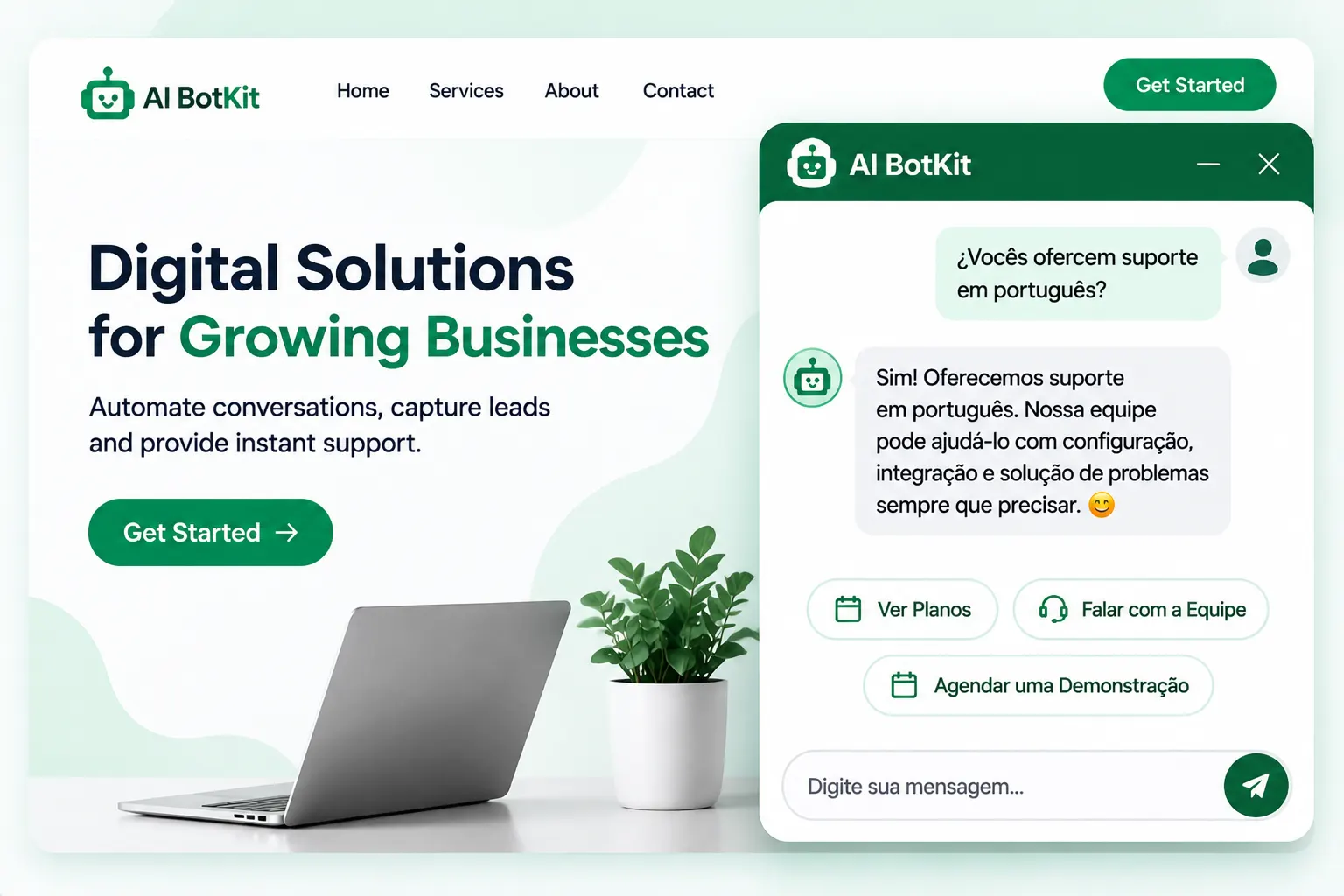
A multilingual chatbot replies to each visitor in their own language instead of making them switch to yours. We built AI BotKit as a multilingual AI chatbot that supports 95+ languages: you can set a default language, let visitors choose, or let the bot detect it. Answer quality still depends on your content, so test a few languages first.
A message arrives in Portuguese. You reply in English, paste it into a translator, or let it sit. Either way, the visitor who wanted a quick answer is waiting, and some of them leave.
A multilingual chatbot, like the one we built into AI BotKit, answers them in their language straight away. This guide shows how to set up a multilingual AI chatbot and how to test it before a real customer does.
Does your site need a multilingual chatbot?
A multilingual chatbot is a website chat assistant that replies to each visitor in the language they use. It answers from the content you trained it on, so one chatbot can serve visitors who write in different languages.
Why language matters before the sale
Language affects whether people buy at all. CSA Research surveyed 8,709 consumers in 29 countries for its Can’t Read, Won’t Buy study. It found that 76% prefer to buy products with information in their own language, and 40% will not buy from websites in other languages.
The survey dates from 2020, so read the exact numbers as a direction, not a forecast.
A visitor who can ask their question in their own language has one less reason to leave.
When you probably don’t need one
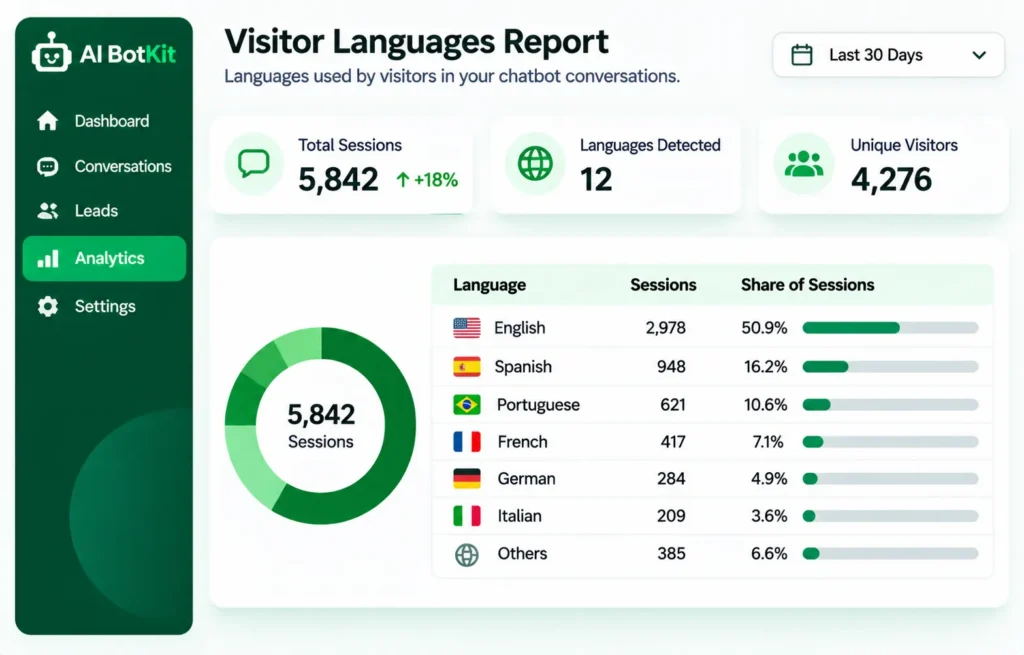
If nearly everyone who writes to you uses your language, skip this for now. Open your analytics and check which languages your visitors use. If only a handful of visitors a month arrive in other languages, a short translated FAQ page may be enough.
The picture changes when you see steady traffic in a few other languages, or messages in languages you cannot read. That is when answering from your own content, in the visitor’s language, starts to save you time.
How does a chatbot answer in 95+ languages?
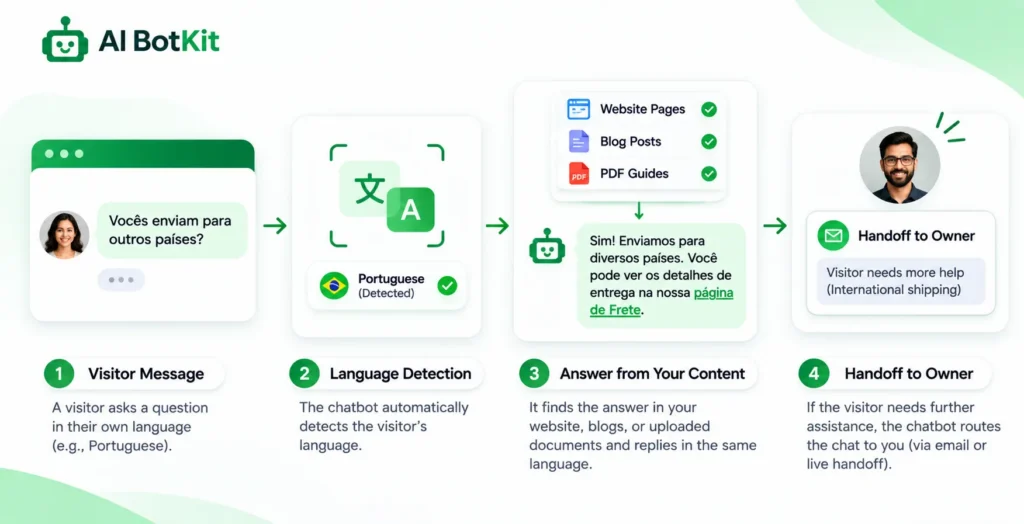
You train the chatbot on your own content: pages, posts, PDFs and links. When a visitor asks a question, it answers from that content instead of from general model knowledge. We built AI BotKit that way so the answers stay tied to what you actually publish.
Language is a setting on top of that. You choose how the bot decides which language to use, and there are three options.
Three ways to set the language
| Mode | What happens | Best when |
|---|---|---|
| Default language | The bot replies in the language you set | Your audience mostly shares one language |
| Visitor chooses | The visitor picks their language | You serve several languages and want no guesswork |
| Auto-detect | The bot detects the visitor’s language | You have a mixed audience and no language menu |
These options come from our smart chat widget. If detection guesses wrong on short messages, let visitors choose their language instead.
What “95+ languages” does and doesn’t promise
A language count tells you what the bot can write, not how good your answers will be in each language. Treat 95+ as the range, and test the three or four languages your visitors actually use.
Short messages are the weak spot. In a Botpress community thread, a user kept getting English answers to French questions, and a team member explained that detection only ran on messages longer than six words. That was one platform’s design, but the lesson travels: a bare “hi” or “ok” gives any detector little to work with.
Why do some chatbots answer in the wrong language?
Wrong-language replies show up again and again in support forums, and they usually have a cause you can find.
When the best source is in a different language
One site owner with a two-language WPML site described this in the MxChat support forum on WordPress.org. Their chatbot answered in the visitor’s language until it pulled the best match from an Italian PDF. Then the reply switched to Italian, even with instructions against it.
The owner fixed it by putting the language rules first in the prompt, ending with “Do not switch languages unless the user explicitly asks you to.” The thread shows why this is hard: the source the bot retrieves can steer the reply language.
When a reply flips language, check which source the bot retrieved before you rewrite the prompt.
Random switching, and what helps
A builder of a retrieval-based support bot posted in the OpenAI Developer Community about the same symptom in a different setup: “It answers in random languages (Spanish, French, German) to queries in English.” Their knowledge base was all English.
A GitHub issue on chatGPTBox shows another cause. A hardcoded “Reply in English” line stayed in the prompt even though the language was set to Auto. Both cases point to the same habit: read the instructions your bot actually sends, not only the settings screen.
Results vary. In the MxChat thread, the plugin’s maintainer said they had not seen random switching across many users and suspected a specific trigger in that setup. Model choice, long sessions and mixed source languages can all play a part.
How do you set up a multilingual chatbot on your site?
Setup comes down to five steps, and none of them need code.
- Check your visitor languages. Use your analytics to list the languages that appear, then pick the top three or four to test first.
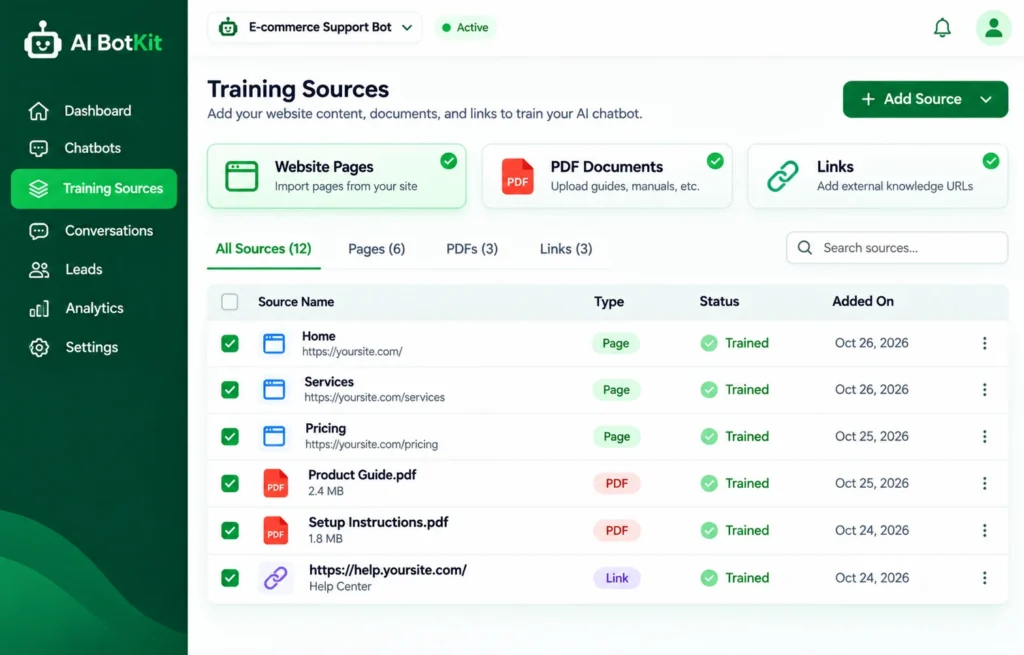
- Train the bot on what you already have. Add your pages, posts, PDFs and links. If you have an FAQ page, our post on turning an FAQ page into a chatbot shows how. Thin pages give thin answers, in every language.
- Choose a language mode. Default, visitor chooses, or auto-detect, as in the table above.
- Put it on your site. Install the plugin on WordPress, or paste the embed snippet on other platforms. The pricing page lists what each plan includes.
- Decide how it hands off to you. Pick where visitors land when the bot can’t help, such as your email or WhatsApp.
If you’re on WordPress
We’ve spent over a decade building WordPress products at WisdmLabs, and the AI BotKit plugin installs from your dashboard like any other. If you are still choosing between plugins, our WordPress chatbot plugin comparison and WordPress AI chatbot plugin roundup explain how the options differ.
If you’re on Shopify, Wix, Squarespace or plain HTML
Our chatbot does not need WordPress. Paste the embed snippet into your Shopify, Squarespace, Wix or custom HTML site and the widget appears.
If your site is already translated with WPML or Polylang
Test the chatbot on each language version of your site before you rely on it. A store owner on the AI Engine support forum asked whether the chat’s opening message could follow the site’s selected language. That is a fair question for any chatbot, ours included. Run the checklist below on your own setup rather than assuming it works.
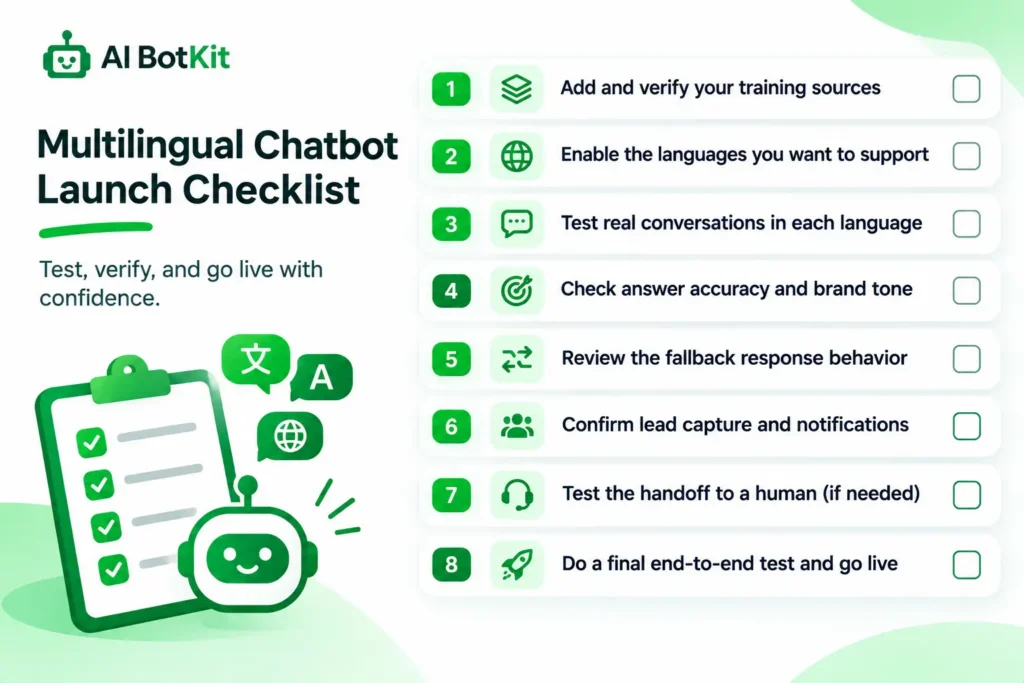
Multilingual chatbot launch checklist: 8 checks before you go live
Run these checks in the languages your visitors use, and read the answers with a native speaker if you can.
- Ask a real question from your content in each of your top three or four languages.
- Send a one-word message, such as “hello”, and see which language comes back.
- Mix two languages in one message and see how the bot copes.
- Ask something your content does not cover and check that the bot says it cannot answer.
- Check that the greeting appears in the right language.
- Start a new session between tests so earlier replies do not steer later ones.
- Follow the handoff and read it as the person who receives it.
- Re-run two or three checks after you change your pages.
A failed check is cheap to find. A failed chat with a real customer is not.
What happens when a visitor needs a person who doesn’t speak their language?
When the bot cannot answer, it tells the visitor and offers to connect them to you, for example on WhatsApp or Telegram. That is how the handoff works in our chat widget, and it avoids a dead end.
The catch is on your side. If the message reaches you in a language you cannot read, you will need a translator or a colleague to reply. Our post on WhatsApp chatbots for business covers how handoff fits into a WhatsApp setup.
Some conversations should go to a native-speaking person anyway, such as refund disputes or anything sensitive. CSA Research found that 75% of respondents are more likely to buy again when customer care is in their language, according to tcworld’s summary.
The bot’s job is to answer the routine questions and hand off cleanly, not to replace you.
Language and data handling
Chats and training content raise a fair question about data. Our site says your bot’s training data and customer chats are never shared or used for other purposes, and you can update or delete your bot’s content from your dashboard.
That is not a legal guarantee. Read our privacy policy, and if you collect personal details in chat or have visitors in places with strict privacy rules, check what you need to disclose in each language of your site.
Which setup fits your situation?
Your starting point changes what you do first.
| Your situation | What to do first |
|---|---|
| English-only site, a few visitors in other languages | Check analytics, start with auto-detect, and test one or two languages |
| Site already translated | Test the chatbot on each language version and match the language mode to how visitors arrive |
| WhatsApp-first business | Set the handoff to WhatsApp and train the bot on your price and delivery answers |
| Agency building for clients | Ask each client which languages their visitors use, and test only those |
| No documentation yet | Write one short page of your core answers first, because the bot can only answer from what you give it |
Start with the languages you can check, then add more.
FAQ
Do I need a separate chatbot for each language?
Not necessarily. We built language handling into the chatbot itself: you set a default language, let visitors choose, or let the bot detect it. If your site has separate language versions, test the chatbot on each one.
Why does my chatbot answer in the wrong language?
Common causes are a source document in another language, an instruction in the prompt that fights your language setting, or a very short message. Check which source the bot used, read your instructions, then test again in a fresh session.
Do I have to translate my website first?
Not to get started. Train the bot on the content you have, then test your top languages. If answers in one language come out thin or wrong, add or improve content for that language and test again.
Can a chatbot detect a language from a one-word message?
Not reliably. A word like “hello” or “ok” gives little to go on, and some platforms only detect language on longer messages. If this matters for your audience, let visitors choose their language.
What if I don’t speak my visitor’s language?
The bot answers the routine questions and offers to connect the visitor to you when it cannot help. You will need a translator or a colleague for those follow-ups, and a native speaker for sensitive topics.
If messages in other languages are already reaching you, the quickest test is a small one: pick three languages you can check and run the checklist above. We built AI BotKit so you can try that without a card, so start free with the chat widget and see how your own content answers.